
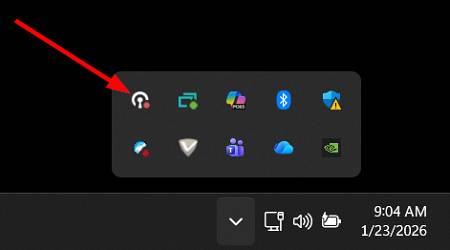
On the taskbar, select the menu arrow to reveal the app menu:

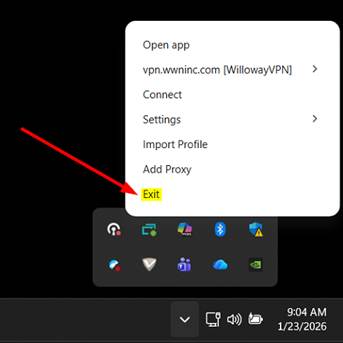
Right-Click the OpenVPN icon:
Select ‘Exit’ to close OpenVPN:
You did it! The OpenVPN app is closed, and you can reopen it by clicking on the desktop icon.
NEED HELP?
If you have any questions, please reach out to help@wwninc.com or visit wwninc.freshdesk.com